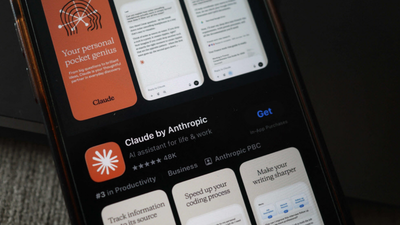

Anthropic latest model, Mythos, ‘scared’ companies across sectors because of its ability to autonomously identify and highlight critical, ‘zero-day’ software vulnerabilities in operating systems, browsers and foundational code. The company deemed the model is too ‘dangerous’ for a public launch due to its potential for exploitation by hackers. Instead, Anthropic released the model to 40 companies, including Apple, Amazon, Google and others. Now experts have said that tech giants are likely to issue updates, patching flaws that may have been identified by Mythos, and advised users to not ignore them.According to a report by The Wall Street Journal, testing by the UK’s AI Security Institute found that the model can exploit security holes entirely on its own, completing in minutes tasks that would normally take a human hacker days to execute.“Whether or not Mythos is a hacker superweapon really is immaterial. If it’s not this model, it’ll be another one in five minutes,” Dave Lewis, cybersecurity lead at 1Password, was quoted as saying.
A ‘cascade’ of patches expected
Since Mythos has uncovered so many flaws at once, users should expect a ‘cascade’ of security alerts over the coming weeks, the experts sadi. While it may feel overwhelming to see constant notification bubbles, cybersecurity leaders warn that ignoring them is no longer an option.Katie Moussouris, CEO of Luta Security, explains that the danger increases the longer you wait. Once a company releases a a fix, hackers often “reverse-engineer” that fix to see exactly what the original hole was. If you don’t install the update, you are essentially leaving your front door wide open for hackers to enter your device and cause you harm.
How to protect yourself
Experts recommend three immediate actions:Enable automatic updates: Go to your settings on your phone (iOS/Android) and computer (Windows/Mac) and ensure ‘Automatic Updates’ is toggled ON.Update your browser: Web browser (Chrome, Safari, Edge) is often the primary target. If you see an “Update” button in the corner, click it. Also, since many critical security fixes only take effect once a device restarts. If your computer asks to reboot, do it as soon as possible.